How to find the exact configuration a laptop shipped with
One marketing name covers a dozen builds. The suffix on the model number, and the manufacturer's own lookup, resolve it in minutes.
Laptop makers sell one chassis under one marketing name in as many configurations as the market will absorb — different processors, different memory, different panels, different storage, sometimes different ports. A listing that gives the marketing name alone has told you the shape of the machine and nothing about what is in it.
The string you actually need
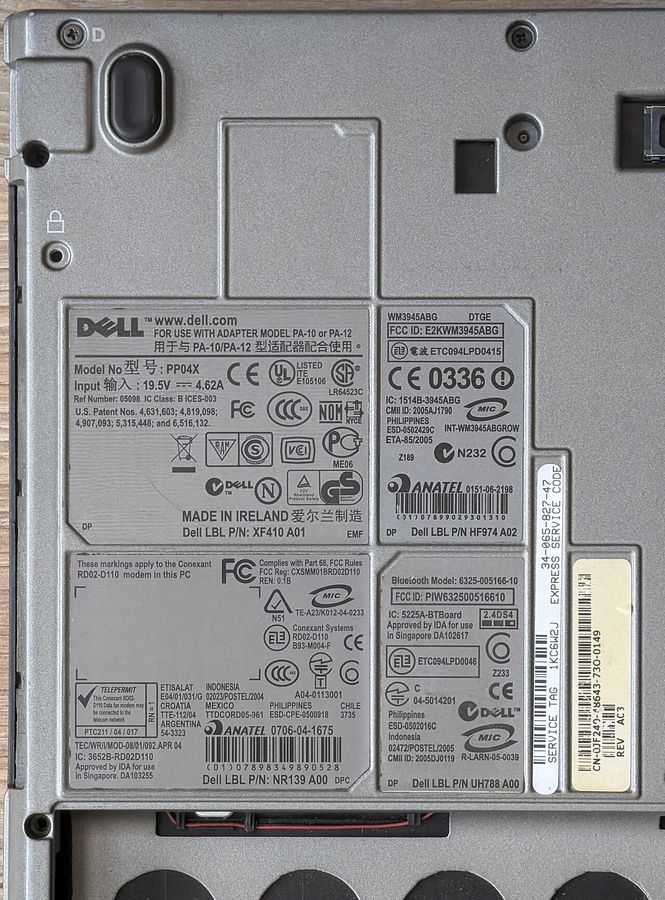
Every machine carries a full model identifier distinct from its marketing name. It is printed on the label underneath, it is reported by the system firmware, and it usually has a suffix of several characters after the family name. That suffix is the configuration code. Two machines from the same family with different suffixes are different products, and the manufacturer's own support site indexes by the full string, not by the family.
Find it one of three ways: read the label on the underside of the machine; read the model field from the system information panel, which takes the string from firmware; or read it from the firmware setup screen at boot.
Then use the manufacturer's own lookup
Every major manufacturer runs a support site where you enter either that model string or the machine's serial number and receive the specification as built. The serial-number route is better where it exists, because it returns the configuration of that individual unit rather than of the model family — including the panel, the wireless card and the storage that left the factory in it.
This is also where the service manual and the parts list live, which answer the questions in soldered or socketed and how many storage slots there really are.
Read the machine itself
If you have hands on it, the machine will tell you more than any database:
- Processor: the full string, from the system information panel. Decode it with the Intel guide or the AMD one.
- Memory: number of modules, their sizes, the slots used and the maximum the board accepts.
- Storage: drive model string, which identifies interface and class; and the negotiated link width for the slot it is in.
- Panel: the panel's own manufacturer and model identifier, which any hardware information utility reports. See the panel lottery.
- Wireless card: the exact card model, which decides which standards are actually available and whether it can be replaced — not always.
- Battery: design capacity and cycle count, from the platform's battery report.
Regional variants
The same model name frequently ships different hardware in different regions — different wireless cards to match local certification, different keyboard layouts, occasionally different panels or storage. A specification page from one region is not authoritative for a machine sold in another. When buying across a border, look up the specification on the manufacturer's site for the country the machine was sold in, and expect the keyboard to be the layout of that country. What the layout codes mean is in keyboard layout codes.
When the manufacturer's database is gone
Support pages for retired models disappear, typically a few years after the model leaves the market. When that happens, three sources remain: archived copies of the original specification pages, the service manual, which tends to outlive the marketing pages because repair channels need it, and specification archives like the model pages on this site, which record the specification as it was published at the time. That is the whole reason those pages are kept — see the brand archive.