Hardware, decoded
What the numbers on a laptop spec sheet actually mean — processor names, memory configuration, storage lanes, panel figures, power budgets and ports.
7 pages in this sectionA modern laptop listing is a wall of part numbers, and most of them are load-bearing: two machines with the same headline processor and the same headline graphics chip can differ by a third in sustained performance, and the difference is printed in the specification if you know which line to read. This section takes those lines one at a time.
Everything in hardware
- Watt-hours, milliamp-hours, and what actually drains a laptop batteryOnly one of the two capacity figures on a laptop battery can be compared between machines. Here is which, why, and where the charge really goes.
- Laptop display specifications, line by lineBrightness, colour coverage, refresh rate and the figure nobody prints: how a panel is described, and what each description leaves out.
- The second M.2 slot that runs at half speedTwo storage slots in a laptop are rarely equal. The difference is in the lane count, it is published, and it decides which drive goes where.
- Why memory channels matter more than memory capacityA laptop with one memory module runs at half the bandwidth of the same laptop with two. Here is how to check which one you are being sold.
- Soldered memory or slots: how to tell before you buyWhether a laptop's memory can ever be changed is decided at the factory and usually not stated in the listing. Four reliable ways to find out anyway.
- AMD's laptop processor numbers, decoded digit by digitA four-digit Ryzen mobile number encodes the model year, the market segment and — critically — the architecture generation, which are not the same thing.
- How to read an Intel Core Ultra processor numberThe i3/i5/i7 ladder is gone. Here is what each part of a modern Intel laptop processor name tells you, and which part actually predicts performance.
Each piece is written to be read against a real spec sheet — open the listing you are considering alongside it.
Latest in Hardware
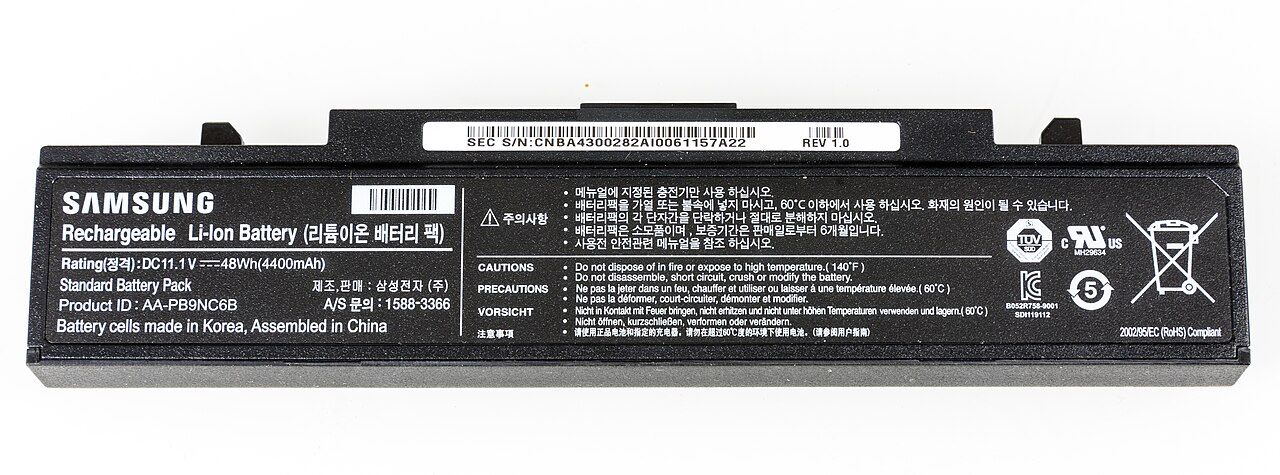
Mechanism | Watt-hours, milliamp-hours, and what actually drains a laptop battery
Only one of the two capacity figures on a laptop battery can be compared between machines. Here is which, why, and where the charge really goes.
Mechanism
Spec sheet | Laptop display specifications, line by line
Brightness, colour coverage, refresh rate and the figure nobody prints: how a panel is described, and what each description leaves out.
Spec sheet
Mechanism | The second M.2 slot that runs at half speed
Two storage slots in a laptop are rarely equal. The difference is in the lane count, it is published, and it decides which drive goes where.
Mechanism
Mechanism | Why memory channels matter more than memory capacity
A laptop with one memory module runs at half the bandwidth of the same laptop with two. Here is how to check which one you are being sold.
Mechanism
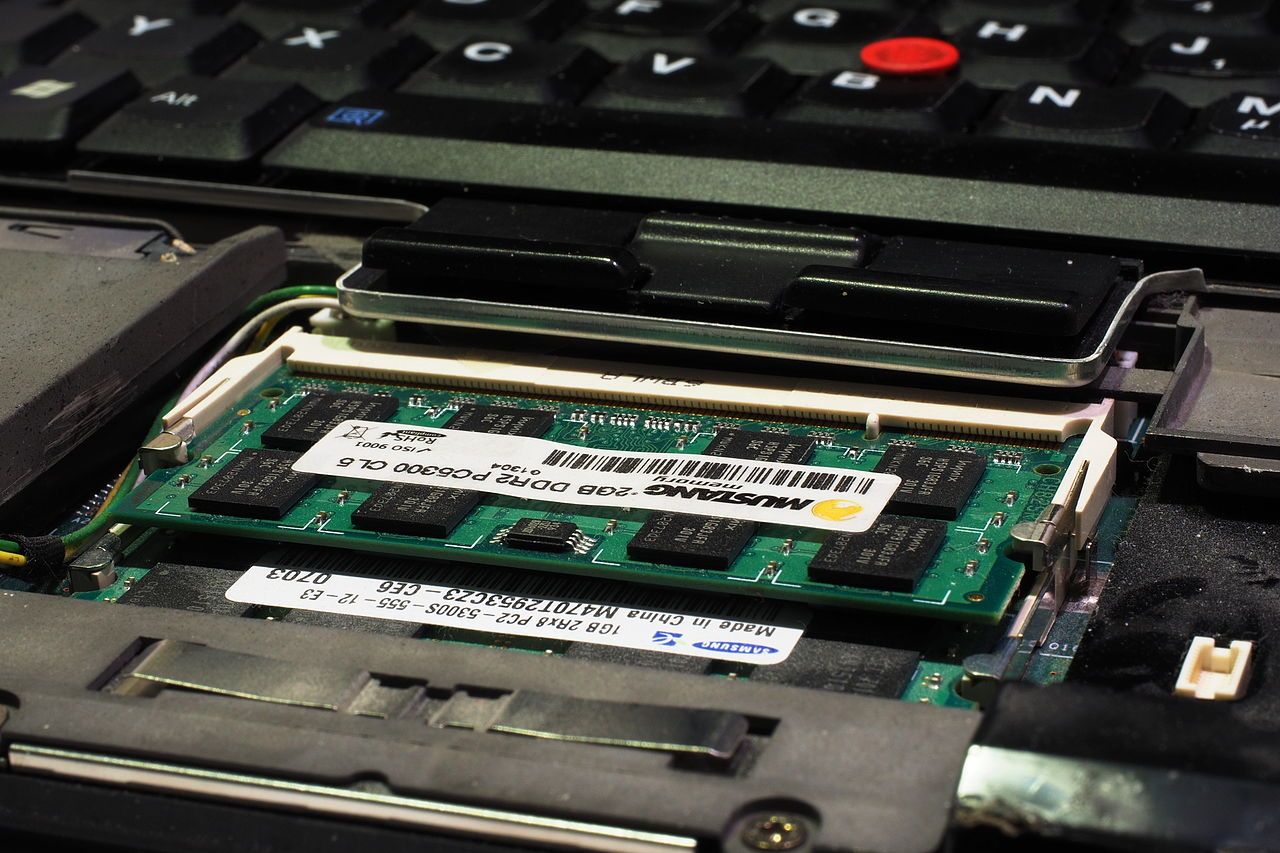
Before you buy | Soldered memory or slots: how to tell before you buy
Whether a laptop's memory can ever be changed is decided at the factory and usually not stated in the listing. Four reliable ways to find out anyway.
Before you buy
Spec sheet | AMD's laptop processor numbers, decoded digit by digit
A four-digit Ryzen mobile number encodes the model year, the market segment and — critically — the architecture generation, which are not the same thing.
Spec sheet
Spec sheet | How to read an Intel Core Ultra processor number
The i3/i5/i7 ladder is gone. Here is what each part of a modern Intel laptop processor name tells you, and which part actually predicts performance.
Spec sheet
The rule these pieces follow
Every figure quoted here is one you can verify yourself, on the machine in front of you or in the manufacturer's own documentation, and each piece says where to look. We do not publish benchmark numbers we did not see the conditions for, and we do not turn a manufacturer's marketing range into a single confident figure. Where the honest answer is "it depends on the chassis", the piece explains what it depends on rather than picking a number.
Start here if you are reading a listing
The four lines that decide most of how a laptop behaves are the processor's sustained power budget, the memory configuration (capacity is the least interesting part of it), the graphics power figure if there is a discrete chip, and the panel's measured brightness and colour coverage. None of those four is the number the listing leads with.