Why memory channels matter more than memory capacity
A laptop with one memory module runs at half the bandwidth of the same laptop with two. Here is how to check which one you are being sold.
Laptop listings compete on memory capacity because capacity is a single number that gets bigger. The figure that more often decides how a machine feels is not capacity but bandwidth, and bandwidth is set by how many memory channels are populated — which listings almost never state.
The mechanism, briefly
A laptop processor has a memory controller with a fixed number of channels. Each channel needs its own memory device to be active. Populate one, and the processor talks to memory over one channel; populate both, and it talks over two, roughly doubling the peak bandwidth available. Capacity does not change bandwidth: one large module is still one channel.
This is why the same laptop model, with the same processor, in two configurations that have the same total memory, can behave differently. Two smaller modules beat one larger module of equal total size, every time, on bandwidth.
Who notices
Integrated graphics notice most, because they have no dedicated memory of their own and read everything over the same channels. The effect there is not subtle and it shows up in anything that draws: games, video editing previews, and on high resolution panels even window compositing under load.
Processor-side work notices less, but it notices — compilation, large spreadsheets, anything that streams through more data than fits in cache. Ordinary browsing and document work notice least, which is why a single-module machine can review well and still disappoint the person who bought it to edit video.
Machines with a discrete graphics chip are less exposed, because that chip has its own memory. They are not immune: the data still has to reach it.
How to check before buying
- Look for the module count, not the total. A specification that says the memory is supplied as two modules is telling you it is dual channel. One that gives only a total is not telling you anything.
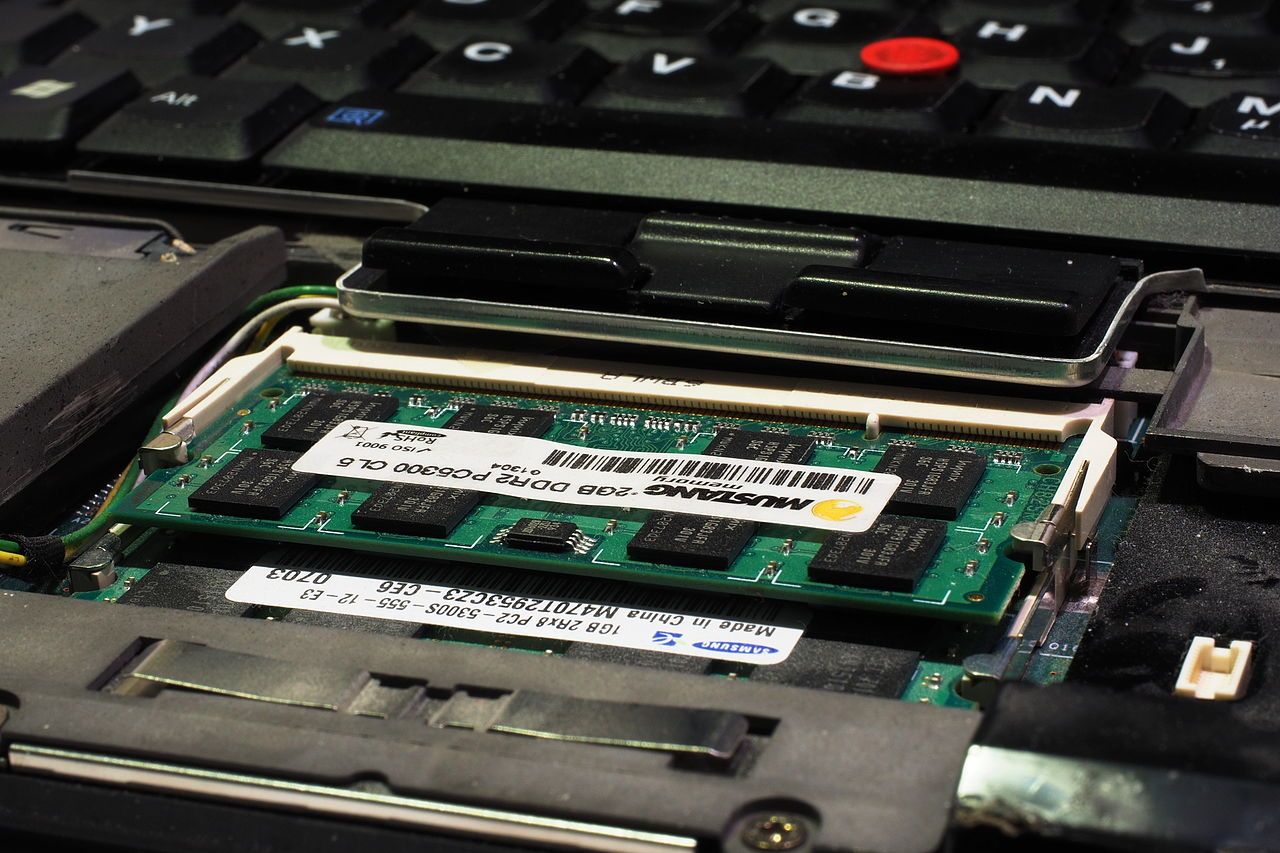
- Check the maximum against the shipped figure. If a model's maximum supported memory is exactly double what this variant ships with, the variant very likely has one module and one empty socket.
- On-package memory is usually multi-channel by design. Laptops with memory soldered on the processor package generally run the full channel configuration; the trade is that you can never change it. See soldered or socketed.
- Watch for hybrid designs. Some machines solder one channel's worth of memory and provide a socket for the second. They run single-channel out of the box and dual-channel once you add a module — and the module you add should match the soldered capacity to keep both channels symmetric.
How to check on a machine you already own
Every operating system exposes the installed memory devices. On Windows, the task manager's memory view reports the number of slots used and the total available, and the built-in system information tool lists the installed devices individually. On Linux, the standard hardware inventory tools list each memory device with its size and the bank it occupies. On macOS the memory arrangement is fixed by the model, and the model's own specification states it.
What you are looking for is two entries of equal size, not one. If you find one, and the machine has a free socket, you have found the cheapest meaningful upgrade available to that laptop.
The asymmetric case
If you add a module of a different capacity to an existing one, most platforms will run the matched portion in dual channel and the remainder in single channel. That is better than one module and worse than two matched ones, and it is a perfectly reasonable thing to do if the alternative is throwing away a working module. It is not, however, the same as a matched pair, and a seller who describes it that way is describing it wrongly.
The short version
When two configurations of the same laptop are in front of you and one has the memory delivered as two modules, take that one even if the total is the same. When a listing will not say how many modules there are, ask; if the answer does not come, assume one. And when you are choosing between more capacity on one channel and less capacity on two, the two-channel option wins for anything that draws to a screen for a living.